Written, not pasted
Pasting and dropping text are blocked, and so are voice dictation and other input that does not come from the keyboard. Every attempt is recorded.

Closed Lite is a word processor for coursework, essays and exams. Students write as usual, with headings, lists, images and spell checking, but they cannot paste text from anywhere else or dictate it. Closed Lite records how the document was written and signs it, so the teacher can check that it was written there, see how long it took and replay the writing like a video. No servers and no accounts: download it from the Microsoft Store and start writing.
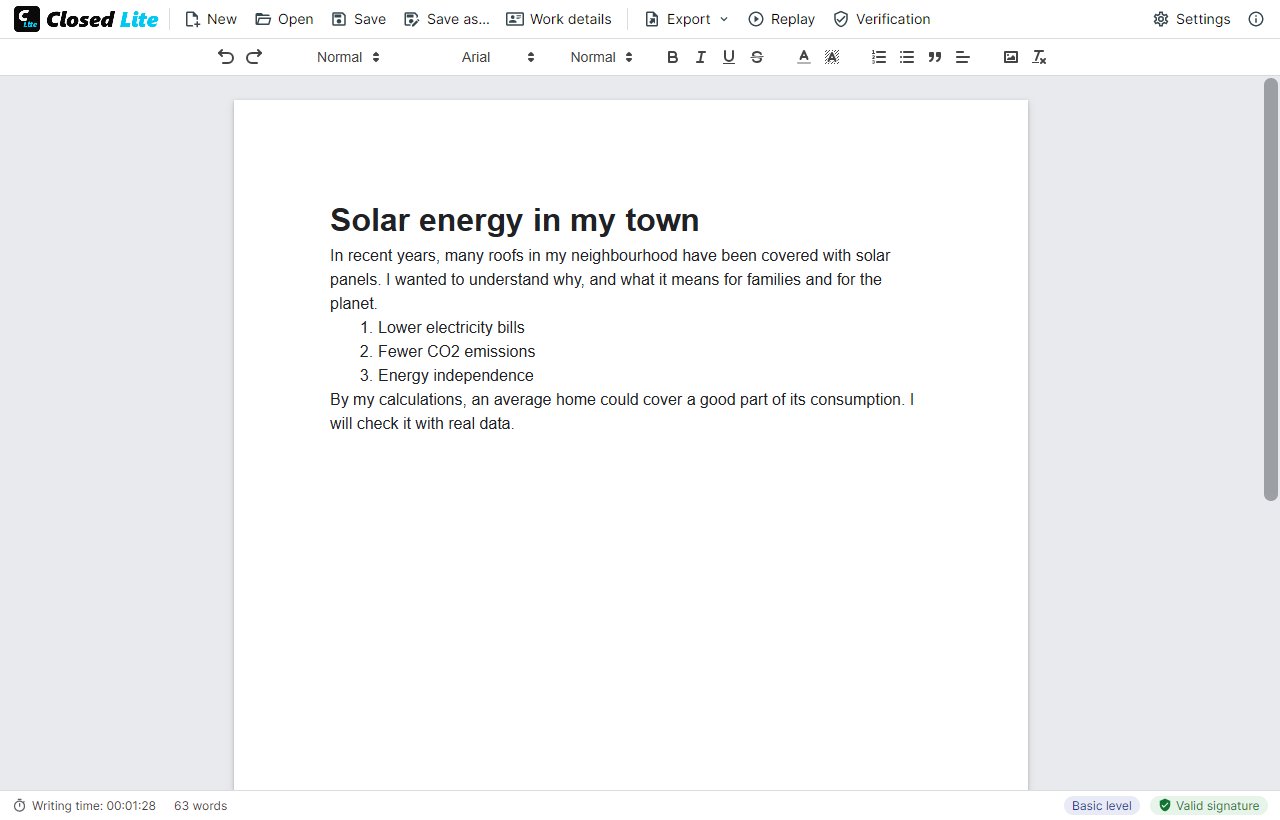
With an ordinary word processor, a finished text says nothing about how it was made: it may have been written word by word, pasted from a web page or generated by an AI in seconds. AI detectors guess, and they get it wrong.
Closed Lite does not guess: it records how the text was written. It only lets the author type it, keeps every change with its time and signs the whole thing. The teacher sees the result, the writing data and the replay, and decides with facts.
Pasting and dropping text are blocked, and so are voice dictation and other input that does not come from the keyboard. Every attempt is recorded.
What is typed, what is deleted and the formatting, from the empty page, with the real writing time, the sessions and every switch to another window.
Watch how the text was written, like a video: the pauses, the corrections and the rewritten sentences, at up to ×100.
Each document is signed when saved, as a .closed file or as a PDF that carries it inside. Any change made outside Closed Lite is detected, and the document opens read-only.
In the Medium and Advanced levels each save is also signed with the author's digital certificate, so you know who wrote it.
A one-page PDF with the signature, the writing data, the sessions and the flagged moments, ready to attach to the marking.
And also: three security levels, hand-in PDFs for Moodle, Classroom or Teams that the teacher marks on screen, export to Word or text, images inside the document, and work spread over several days. See every feature →
Documents are signed with ECDSA P-256 and, with a certificate, with standard CMS/CAdES signatures that official tools can also check.